
Do my files leave this browser?
Files and passwords stay in this browser. There is no upload or remote conversion.
Select a text table, set its grid, edit the extracted cells and download UTF-8 CSV.
PDF ≤ 20 MiB · input pages ≤ 200 · export pages ≤ 10 · Rows ≤ 100 × Columns ≤ 30 · total ≤ 3000 cells · CSV ≤ 2,000,000 bytes
Preview
Only horizontal text with one line per cell is supported. Scans, rotated text, merged cells and multiline cells are not supported. Select a regular region and review every value; this does not perform OCR or automatic table detection.
CSV uses UTF-8. Potential formulas, including text starting with -, get a leading apostrophe. Review values before importing into a spreadsheet.
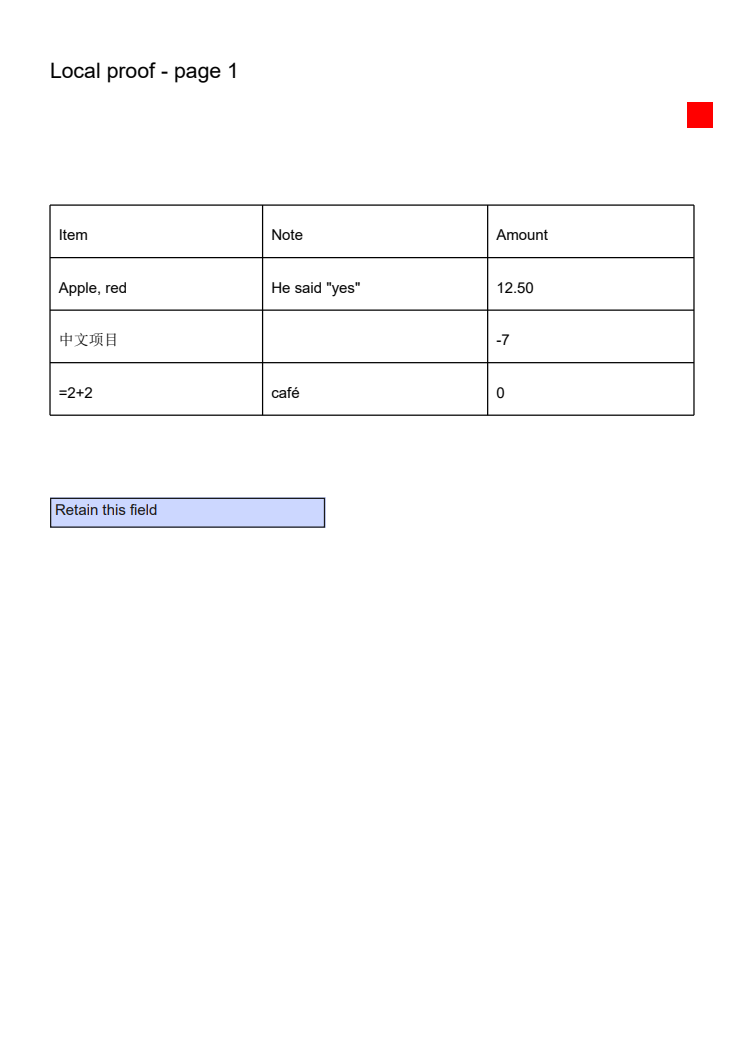
Actual source, generated file and a selected-page preview.
Item,Note,Amount
"Apple, red","Edited, ""quote""",12.50
中文项目,,'-7
"'=SUM(1,2)",café,0
Item,Note,Amount
"Apple, red","He said ""yes""",12.50
中文项目,,'-7
'=2+2,café,0
Example settings: pages: 1-2 · rows: 8 · columns: 3 · editedCells: 2 · encoding: UTF-8 BOM · formulaProtection: true
Previews show the listed page or entry. Download the original files to inspect all content.
Select a text table, set its grid, edit the extracted cells and download UTF-8 CSV.
Only horizontal text with one line per cell is supported. Scans, rotated text, merged cells and multiline cells are not supported. Select a regular region and review every value; this does not perform OCR or automatic table detection.
Open a PDF with a text layer and choose the preview page.
Select the table rectangle, set row and column boundaries, and extract the selected pages with the same relative grid.
Edit cells in the result table, then download CSV and check how your spreadsheet imports formula-like values.
questions
Files and passwords stay in this browser. There is no upload or remote conversion.
PDF ≤ 20 MiB · input pages ≤ 200 · export pages ≤ 10 · Rows ≤ 100 × Columns ≤ 30 · total ≤ 3000 cells · CSV ≤ 2,000,000 bytes
Only horizontal text with one line per cell is supported. Scans, rotated text, merged cells and multiline cells are not supported. Select a regular region and review every value; this does not perform OCR or automatic table detection.