
How are tabs and long code handled?
Up to 20,000 characters, 150 lines and 4096 px per edge. Tabs become four spaces.
PNG
Paste code, choose syntax highlighting, line numbers and padding, then save or copy a PNG. Your code is never executed.
Preview
Generate, export or analyze in the tool, then inspect the captured input and actual result here. Processing stays in your browser.
Real sample input and the result produced by this tool.
const value = "<script>alert(1)</script>";
// public sample
console.log(value);
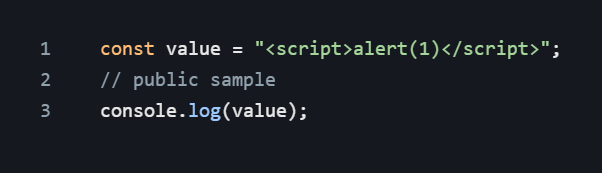
Example settings: source: local tool export
Samples contain public test data. Text previews may be shortened; downloads contain the complete files.
Paste code, choose syntax highlighting, line numbers and padding, then save or copy a PNG. Your code is never executed.
Up to 20,000 characters, 150 lines and 4096 px per edge. Tabs become four spaces.
Add or set: Code / Language.
Adjust Theme / Font size / Padding (px) / Line numbers and inspect Preview.
Choose “Copy image / Download PNG”. Check the downloaded image at its original size.
questions
Up to 20,000 characters, 150 lines and 4096 px per edge. Tabs become four spaces.