
Confirm the destination before laying out the card
You are adding a QR code to a contact card, product insert or small instruction sheet. A code that decodes correctly can still contain an old address or a typing error. Decide the exact public URL or text before generating the artwork, and check what the recipient should see.
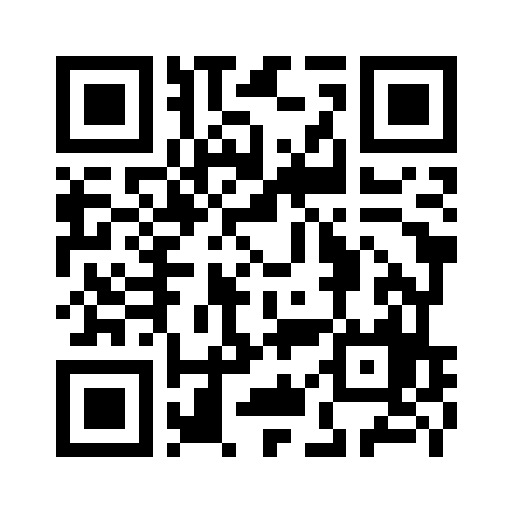
The public sample encodes https://example.com/public-sample, a demonstration string rather than a real customer destination. Decoding it checks the stored text; it does not establish that a website is available, appropriate or controlled by the person printing the card. Review a real destination separately.
Generate a plain code and inspect its download
A QR code stores the text encoded when it was made. Editing the generator later does not alter an already downloaded image or a printed card. Use the approved final file consistently.
- Open QR Code Generator and enter the intended text. To reproduce the public sample, enter https://example.com/public-sample.
- Choose size 512 and error correction M. Leave the optional logo empty for this baseline example.
- Download the PNG. Open QR Decoder and choose that downloaded file, rather than taking a screenshot of the generator preview.
- Compare the complete decoded text with the intended address, including its path and any query string. Fix the source text and generate a new file if it differs.
- Place the PNG in the card layout without clipping its white margin. Inspect the exported card design, then make and scan a test print at the intended physical size.
Keep the quiet zone around the symbol
DENSO WAVE describes a clear margin four modules wide on all sides of a standard QR symbol. A module is one of the code's small square units, not one screen pixel. This generator's plain-code path uses a four-module margin by default.
Do not crop the image tightly to the black squares or put captions, decorative lines or a busy background inside that margin. Preserve a clear, contrasting area in the final layout. There is no single pixel width here that establishes a reliable physical print size for every payload, printer, surface and camera.
Verify the 512-pixel public sample
The saved PNG is 512 × 512 pixels and 8,933 bytes, generated at error correction M without a logo. Decoding the saved file returns exactly https://example.com/public-sample. Repeating the site's encoding routine with those settings produces the same decoded pixels in our recorded browser test.
Download the sample and its small settings file to inspect the same input. The test covers the local image and decoded text. It does not visit the encoded address, test a physical print, or establish a universal minimum printed size.
| Public QR PNG | Setting |
|---|---|
| Pixels | 512 × 512 |
| Bytes | 8,933 |
| Error correction / margin | M / 4 modules |
| Decoded text | https://example.com/public-sample |
Test the finished placement, including the real print
Check the code after the card software has exported its final file. Resizing, a cropped margin, weak contrast, a reflective surface or a decorative logo can change scanning behaviour. Start with the plain code, then test any change on the actual final placement.
Scan the test print with the devices and apps you expect readers to use, under practical lighting and distance. Verify both the decoded address and the destination you intended to publish. If the card is hard to scan, increase available space or simplify the layout and test again before distributing copies.