
A small logo is not a vector master
You only have a small PNG logo and need a larger version for a shop header or printed sign. Enlarging that PNG exposes its limited pixel grid. Converting to SVG can create scalable descriptions of shapes, but it cannot establish the exact curves, lettering or colours that the designer originally used.
Ask for the original vector artwork first when available. A trace is a practical reconstruction from the pixels you have. Evaluate it against the intended use instead of treating a successful SVG download as proof of a faithful logo.
Paths and embedded images are different SVG contents
An SVG path describes a shape. An SVG image element can instead contain or reference a raster image, including a PNG stored as a data URL. Wrapping a PNG in an image element does not remove its pixel limitations. Some SVG documents contain both, so inspect the content that represents the actual logo.
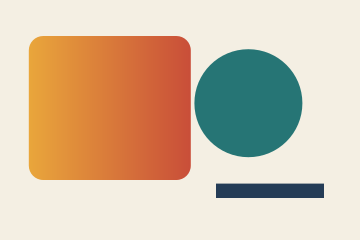
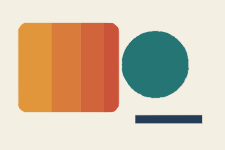
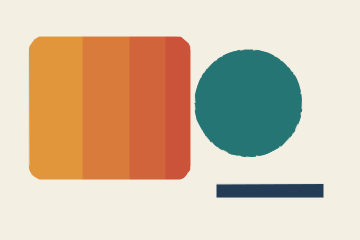
The public geometric example below is traced by this site's default PNG-to-SVG workflow. Its 5,911-byte, 360 × 240 PNG becomes a 6,900-byte SVG with a 0 0 360 240 viewBox, 44 paths and no image elements. This verifies the structure of this example, not the accuracy of every logo or a promise of a smaller file.
| File | Bytes | Structure |
|---|---|---|
| Source PNG | 5,911 | 360 × 240 pixels |
| Traced SVG | 6,900 | 44 paths; no image elements |
Trace the image and inspect the export
The current tracer reduces an input whose longest edge exceeds 2,000 pixels before tracing. More source pixels do not mean that every pixel will be traced. The output includes a viewBox so the traced drawing can scale with its dimensions.
- Choose the clearest authorised PNG source you have. Open PNG to SVG and select the file.
- Start with 8 colours and Medium detail, with smoothing unchecked, as in the public example. Choose Vectorize and wait for the result.
- Compare small letters, corners, holes and boundaries in the before/after preview. Adjust the available colour, detail and smoothing controls only when the result benefits.
- Download the SVG and open it in SVG Viewer or an SVG editor. Inspect its source for path elements and any image elements or embedded raster data.
- Enlarge the artwork in the intended application. Check both edge smoothness and whether the shapes still match the source; a smooth but misshapen letter is still wrong.
Judge shape fidelity, not only sharpness
Tracing groups and simplifies the raster information. Fine strokes can disappear, gaps can close and nearly matching colours can merge. Increasing detail or colour count may preserve more variation while making a more complicated SVG; it does not recover an authoritative original.
Photographs, soft shadows and gradients are different from a small set of clean logo shapes. A tracing result may look like a stylised illustration rather than the photograph. Compare the final SVG at its delivery size and avoid assuming it should replace the raster source in every situation.
Deliver the format the recipient actually needs
Keep the source PNG and the approved SVG separately. If the receiving service requires PNG, export the approved SVG at the required pixel dimensions and inspect that raster result too. An SVG that looks good in one editor can still depend on features another application handles differently.
For a production logo requiring exact geometry or colours, obtain the original vector master or arrange a reviewed redraw. This workflow verifies a trace and its exported structure; it does not certify brand accuracy.